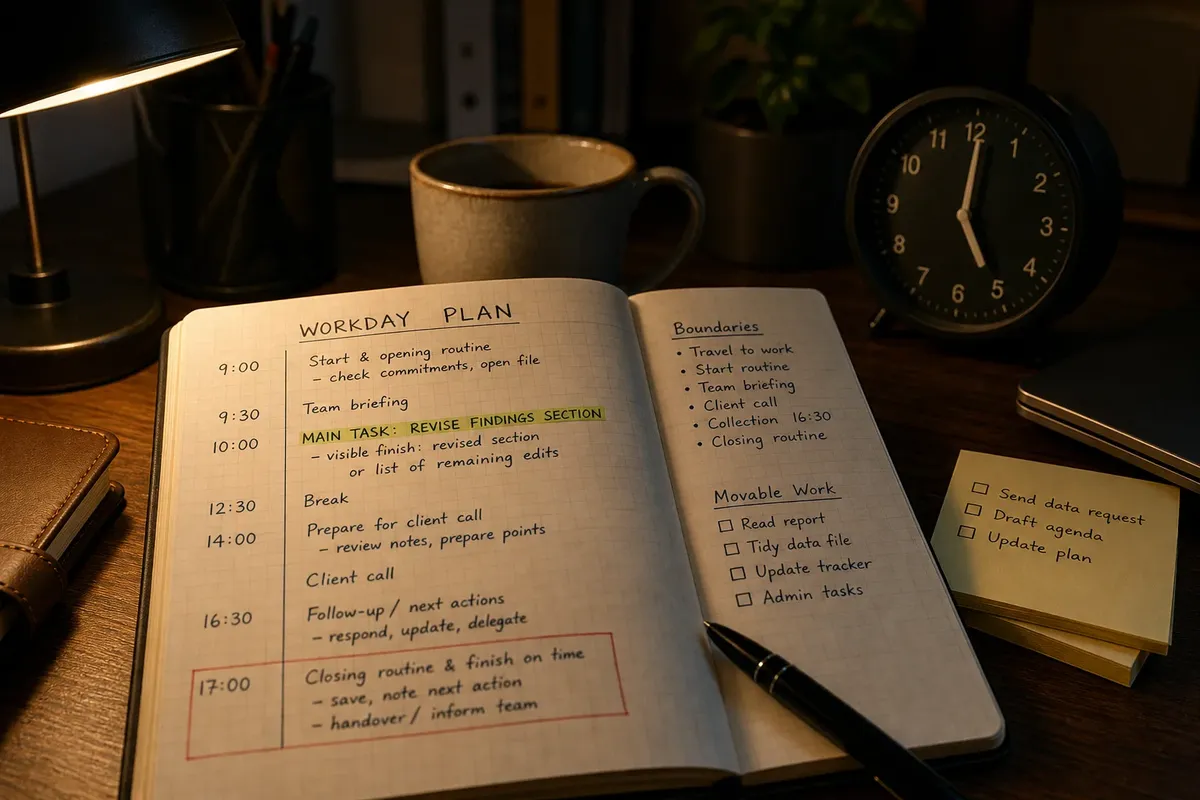
Calendar Blocks or a Short Task List?
Calendar blocks or a short task list? Learn which tool makes time or unfinished actions clearer, so you can choose without duplicating your plan.

The common mistake with calendar blocks or a short task list is treating them as competing versions of the same plan. The cost is confusion: you either assign a time to every loose task or leave important work with no visible place to happen.
The useful distinction is simple. A calendar records when you have committed to something; a task list records what still needs doing. Choosing between them is less about personality than about which uncertainty is getting in your way.
What does a calendar show that a list cannot?
A calendar makes time visible. It shows fixed appointments, deadlines with a specific hour and any open stretches between them. That makes it useful when the question is, “Where could this work fit?”
A task list makes unfinished actions visible without pretending you already know when they will happen. “Send the revised brief” or “check the room booking” can stay available while the day changes. That makes the list useful when the question is, “What must not be forgotten?”
They resemble a bus timetable and a note on the fridge: one shows when something is due to happen, the other what you still need to do. They can work together, but copying every task into both usually creates a second job: keeping the copies in agreement.
When should a task get a calendar slot?
Put something on the calendar when its timing is fixed, when another person is relying on it at a particular time, or when a specific stretch of attention is needed. “Call the solicitor at the agreed time” belongs there. So might “draft the opening section” if you have chosen a suitable window and the work is easy to displace.
Do not use a block merely to make a task look more serious. If its timing is flexible and it can be handled in a gap, a list is clearer. Calendar space is a constraint, not a medal.
Leave open time where interruptions or overruns are likely. A block is a reservation; if the day changes, move the reservation or revise its scope. The calendar can show that the plan changed, but it cannot make the original slot reappear.
When is a task list the clearer choice?
A list works well when tasks are short, their timing is uncertain, or the day is likely to be rearranged by incoming requests. It keeps actions available without assigning each one a slot that may become inaccurate before lunch.
Make entries concrete enough to act on. “Project” does not say what to do; “compare the two draft schedules” does. Put constraints beside the relevant action, such as “send the signed form before the appointment”, so a genuine deadline does not look like an ordinary preference.
Keep the daily list limited to work you might reasonably move forward that day. Store later tasks elsewhere. A long inventory can be a useful record, but it is poor at telling you what deserves attention now.
How can you choose between a calendar and a task list?
- Check whether the item has a fixed time: If a person or commitment depends on that time, put it on the calendar; if not, keep it on the list unless reserving a work window solves a real problem.
- Check whether the task needs a protected stretch: If it needs sustained attention and a suitable opening exists, block that opening; if it can be done between commitments, leave it on the list.
- Check how predictable interruptions are: If they arrive at known times, leave those periods visible on the calendar; if their timing is uncertain, keep flexible actions on the list and avoid filling every open space.
- Check whether the task has a deadline tied to another commitment: If missing it would disrupt that commitment, make the deadline visible in the calendar or beside the list item; if not, rank it by importance rather than implying false urgency.
- Check whether the wording names an action: If it does, keep the entry; if it names only a topic, rewrite it as a deliverable before deciding where it belongs.
- Check whether a scheduled task also appears on the list: If both entries serve the same reminder, remove one; if the list separately identifies a daily priority, keep only a brief reference and let the calendar hold the timing.
- Check what changed after an interruption: If the reserved time still works, resume the task; if it does not, move the block or reduce the task, then update its single current entry.
What should you do with a task that is both important and flexible?
Separate its timing from its status. Keep the action on the list so it remains visible, then add a calendar block only if a chosen window would protect it from being displaced. If the block moves, the task still exists; if the action is completed, remove the list entry and the block.
This avoids a common muddle: treating a calendar slot as the task itself. The slot is an intention about timing. The list entry is the unfinished action. Keep both only when they do distinct jobs.
Which calendar and task-list questions come up most often?
Should every task go on the calendar?
No. Use the calendar for fixed commitments and work that needs a reserved window. Leave flexible actions on a list unless assigning them a time addresses a specific risk.
Can a deadline go on a task list?
Yes, if the list makes the deadline clear and you will see it in time to act. Put a deadline on the calendar as well when it is tied to a particular hour or another commitment depends on it.
What if an urgent request arrives during a calendar block?
Decide whether it truly needs attention now. If it does, record the new commitment and move or narrow the blocked task; if it can wait, keep the block and add the request to the list.
Is it useful to keep the same task in both places?
Only when each entry has a separate purpose: the calendar shows when, and the list shows what remains. If both are simply reminders, choose one and remove the duplicate.
How does the choice work in a real planning decision?
Say you have a morning meeting, a draft to finish and two short actions: reply to a supplier and send a revised agenda. For this invented situation, assume the meeting is fixed, the draft needs focused attention, and the supplier reply and agenda can be sent at flexible times.
First, put the meeting in the calendar. Next, reserve the available stretch after it for the draft, because the draft needs focused attention. Add the supplier reply and agenda to the task list, not to separate calendar slots. Leave the later open stretch unassigned because the timing of questions from colleagues is uncertain.
The resulting plan shows the fixed commitment, the chosen window for the draft and the two actions still to do. If the meeting overruns, move the draft block and decide whether to shorten that work session or defer one flexible action. Update the current plan rather than leaving a stale slot beside a list that says something else.
How can you keep the two tools from competing?
Choose one home for each item. Let the calendar carry timing and the list carry actions. A scheduled task can appear on both only when one entry says when and the other is deliberately used to show a priority; otherwise, duplicate reminders add clerical noise.
When the plan changes, edit the place that actually governs the decision. Move a time commitment in the calendar. Rewrite or remove an action on the list. The distinction makes the calendar-versus-list choice easier: use the calendar to see where time has gone or might fit, and the list to see what remains to be done.
Before you stop planning, check whether the next action is visible in the right place. If you cannot tell whether an entry is a time commitment or unfinished work, rewrite it or move it. That small distinction is often enough to make the plan usable.