A Desk Reset for the End of a Busy Week
A desk reset at week’s end clears visual distractions, protects shared surfaces and keeps essential tools within reach, so the next session starts calmly.
The common mistake with a desk reset is treating it as a small office makeover. That turns a useful closing habit into another job, and leaves the desk no better suited to the work ahead. A desk reset at the end of a busy week should deal with the workspace itself: remove visual distractions, keep essential tools accessible and make the surface fit for its next use.
The aim is not to create a perfect arrangement or decide what every unfinished task means. It is to make the physical space easier to use. Think of the desk like a kitchen counter: clear enough to prepare something, with the tools you actually need nearby.
What should a desk reset change?
Look at the surface, not the state of your entire workload. A mug beside a notebook may be harmless; a nest of charging leads under loose papers may make both harder to reach. Focus on objects that obstruct space, obscure useful tools or belong elsewhere.
Sort what is on the desk into three destinations:
- Keep here: tools used regularly at this desk, such as a pen, keyboard or notebook.
- Put away: objects with an existing home, such as scissors, a reference book or a spare charger.
- Move to a holding place: papers or items that must remain accessible but do not need to sit on the main work surface.
A holding place might be a named folder, a shallow tray or a portable caddy. It should contain items with a reason to stay available, not everything that has yet to be sorted. If an object keeps returning to the desk, check whether its storage spot is inconvenient or whether it belongs in a different room.
How should you arrange the items you use?
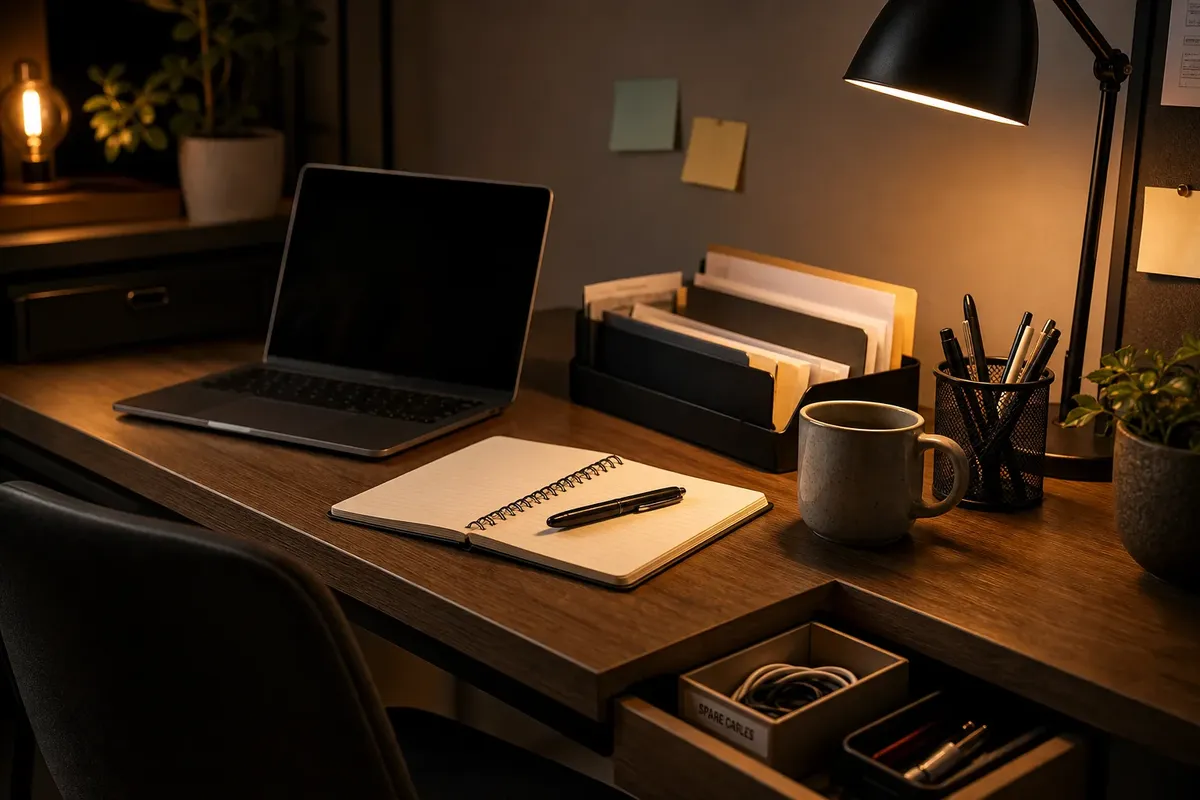
Put frequent-use tools where you can reach them without moving other objects. A pen cup beside a notebook is more useful than a tidy drawer across the room if you write at the desk every day. Reserve the easiest space for items that genuinely need it; seldom-used supplies can live in a drawer or cupboard.
Keep related equipment together. Store a charging cable with the device it serves, or keep a set of drawing tools in one case rather than scattered across the desk. A reused jar, drawer divider or labelled envelope can provide a clear home without turning storage into a separate project.
Do not make a home for every object just to produce a uniform look. Temporary items can go in a designated tray, while finished or unrelated items can leave the work area. The decision is about access and use, not whether the desktop could appear in a furniture catalogue.
How do you reset a desk without losing useful items?
Check objects before moving them, especially papers, cables and small accessories that can look interchangeable. Return an item to its known home only when that home is still suitable. For anything that must remain available, choose a specific place rather than shifting it to another convenient pile.
- Check loose papers for a project name or required reference; if they belong together, put them in that project’s folder, otherwise place them in a named holding tray until identified.
- Check each cable against the device it serves; if it is used at the desk, keep it in the chosen cable spot, otherwise store it with the device or in the spare-cable container.
- Check small tools for frequent use; if you reach for one regularly, keep it in the accessible desk organiser, otherwise return it to its drawer or shared supply area.
- Check whether a mug, bottle or food container is still in use; if it is, move it to a clear corner, otherwise take it to the kitchen for washing.
- Check whether an item belongs to someone else; if it does, place it in the agreed return spot or ask its owner where it should go, rather than assigning it a permanent home.
- Check whether the cleared surface will fit the equipment needed for the next session; if it will, leave the open space intact, otherwise move low-use objects to storage or a portable caddy.
Say you have a laptop, a notebook, two charging leads, a mug and a stack of loose paper on a small desk. First, match each lead to its device and put the spare in a labelled drawer. Next, move the mug to the kitchen if it is empty, then place the papers in the folder marked for their project rather than leaving them under the laptop. Finally, keep the notebook and laptop on the clear work area. The resulting arrangement preserves the tools in use and frees space without requiring you to interpret the contents of the papers.
What should you do with common desk clutter?
Where should spare cables go?
Keep the cable used most often in one accessible spot and store spares together in a labelled pouch or drawer. If you cannot identify a cable’s purpose, keep it separate until you can check the connector or device rather than mixing it with known equipment.
Should paperwork stay on the desk?
Keep only the papers needed at the desk during the next work session. Put active material in a labelled folder or tray, and move reference documents to their usual filing place when they are no longer being consulted.
What belongs on a shared desk?
Keep personal tools in a portable folder, caddy or case, and return shared equipment to the agreed location. Ask before claiming a drawer or surface for personal storage; other people may have formed entirely reasonable plans for it.
How can you reset a very small desk?
Keep only the tools used in the current session on the surface, and store the rest in a nearby drawer or portable container. If the desk serves another purpose, clear it into that container at the end of work so the surface can be used for its other role.
How can the reset stay small?
Use a consistent stopping point, such as the end of the last work session before the weekend. Return items to their homes, move the necessary papers into their folders and clear enough space for the desk’s next use. There is no need to wipe, polish or rearrange equipment unless it needs ordinary cleaning.
Before buying organisers, notice what actually gathers on the surface. If loose pens recur, a mug or pen cup may be enough. If papers have no dependable place, a labelled folder may solve the problem. Choose storage in response to the objects, not the other way round.
A desk reset at week’s end works when the surface is usable, commonly used tools remain easy to reach and items that belong elsewhere have left. The practical test is simple: can you sit down and use the desk without first moving a pile? If not, adjust the placement of the objects that obstruct it, rather than starting a room-wide reorganisation.